Compare before switching

Is an upsampler alternative free enough for your work?

An upsampler alternative free to try can be useful, but the first result rarely tells the whole story. Compare what you can actually do, how the image holds up, and how much work a usable result takes. This guide offers a practical way to evaluate options without assuming that any tool has a particular price, allowance, or export setting.

Upsampler site imagery showing a detailed visual composition

Comparison limits

This route helps you compare choices; it cannot establish the live terms or performance of a tool you have not tested.

No verified price promise

A search result calling a tool free does not establish its present limits, export conditions, or ongoing cost. Those terms can change independently of this guide.

WorkaroundRead the current terms at the destination before submitting a file or planning a recurring workflow.

No universal quality winner

A method that improves a soft photograph may distort small lettering, straight edges, or illustration linework. A single showcase image cannot predict performance on your source.

WorkaroundRun the same difficult crop through each option and inspect it at the size you intend to use.

No privacy or retention guarantee

This page cannot confirm how an external service handles uploads, generated images, or deletion requests.

WorkaroundCheck the service's current policy and avoid uploading confidential material until its handling meets your needs.

Fair test

A short, repeatable test is more useful than comparing two unrelated promotional examples.

Choose one representative source

Use an image from your actual workload, not your easiest file. Include the detail that usually fails: hair, type, patterned fabric, product edges, or compressed shadows. Keep the original untouched so both candidates begin with the same input.

Record the full path to a result

For each option, note whether you can submit the file, preview a result, and obtain an export that suits the job. Record any stated restrictions rather than treating an attractive preview as proof that the finished image is available on the same terms.

Inspect and repeat

Compare matching crops at the same display size, then try a second image with different content. Count the attempts and manual corrections needed to reach an acceptable result. An apparent shortcut is less valuable if it repeatedly creates artifacts you must repair elsewhere.

total-cost table

Treat total cost as money plus the work required to get an image you can use. These are checks, not claims that either side includes a particular feature.

Upsampler workflow Potential free alternative
1

Access terms

Upsampler workflow

Confirm current access and terms at the linked destination.

Potential free alternative

Confirm what the alternative actually permits before starting.

2

Usable export

Upsampler workflow

Check available output and any restrictions at the destination.

Potential free alternative

Check whether the result you need can be exported under its current terms.

3

Input preparation

Upsampler workflow

Allow time to select and prepare a suitable original.

Potential free alternative

Allow the same preparation time for a fair comparison.

4

Failed attempts

Upsampler workflow

Count reruns needed to reach an acceptable image.

Potential free alternative

Count reruns using the same acceptance standard.

5

Artifact repair

Upsampler workflow

Include time spent fixing invented texture or damaged edges.

Potential free alternative

Include equivalent corrections, even if initial access costs nothing.

6

Repeat workload

Upsampler workflow

Assess whether the process remains practical across your usual volume.

Potential free alternative

Check whether stated allowances fit repeated use, not just a trial.

7

Privacy review

Upsampler workflow

Review the destination's current upload and retention terms.

Potential free alternative

Review the alternative's policy to the same standard.

where quality differs

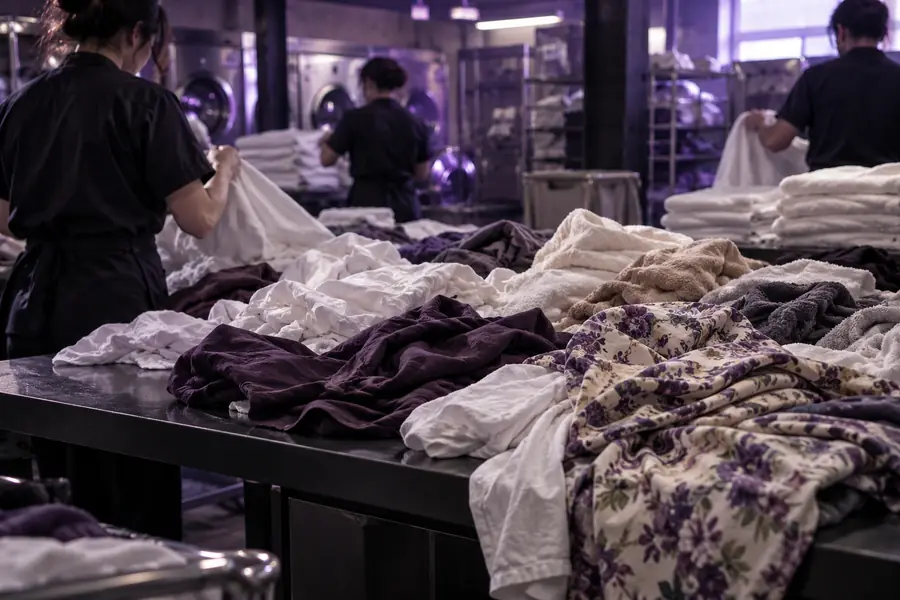
A visual pair illustrates what to inspect, not a controlled result from every available tool.

Illustrative before

Laundry scene before an illustrative image enhancement
Laundry scene after an illustrative image enhancement
Illustrative after

Look beyond apparent sharpness. Check fabric texture, object boundaries, repeated patterns, and any small text in your own test file. A result can look more detailed while being less faithful to the source. This pair is an illustration, not proof that either comparison option produces a specific outcome.

where time differs

Processing time is only part of the job. Preparation, retries, review, and repair determine how quickly an image becomes usable.

Product photographer

You need consistent edges and recognizable materials across several catalog images. A seemingly quick pass becomes slow if each result needs different corrections.

Test a representative batch and compare the time to an acceptable export, not just the first preview.

upsampler vs free ai image

Designer revising an existing image

You need to change part of a composition as well as improve its clarity. Repeatedly switching between separate tools may cost more time than the enhancement itself.

Decide whether your task calls for editing first and upscaling second.

upsampler ai image editor

Occasional personal creator

You have one low-resolution picture and can tolerate a few experiments, but you do not want to build a recurring process around an unverified allowance.

Check current access, then compare one finished export against the original at its intended display size.

free upsampler ai image

when switching is worth it

Choose the workflow that earns its place

Switch when an alternative consistently produces acceptable exports for your own images with less total effort under terms you have checked. Stay with your existing process when a new option saves nothing after retries, repair, and review. If you are still deciding, explore the linked image tools and test with a non-sensitive source you can evaluate fairly.

  • Compare the same source image
  • Inspect the finished export
  • Verify current terms before relying on them

comparison FAQ

An upsampler alternative free to try may suit a particular image, but no single option is guaranteed to suit every file or remain available on unchanged terms. Verify current access and test the kinds of images you actually need to process.

Submit the same source to each option and judge the finished exports at the same viewing size. Include preparation, retries, artifact repair, and the current usage terms in your comparison rather than judging a preview alone.

No. Extra-looking detail can come with distorted text, unnatural texture, halos, or altered facial features. Judge whether the result remains faithful to the source and works at its intended size.

Switch when your tests show a repeatable improvement in usable results, total effort, or terms that matter to you. For a one-off image, a small difference may not justify learning a new process; for recurring work, even minor corrections can add up.

Start creating
Start creating